-
E-mail
info@bominte.com
-
Phone
13568882605
-
Address
No. 98 Tiancai Road, Gaoxin West District, Chengdu City, Sichuan Province
Product Categories
Bomint Chengdu Technology Co., Ltd


Multi channel four wire PT000 collector
NegotiableUpdate on 11/20
- Model
- Nature of the Manufacturer
- Producers
- Product Category
- Place of Origin
Overview
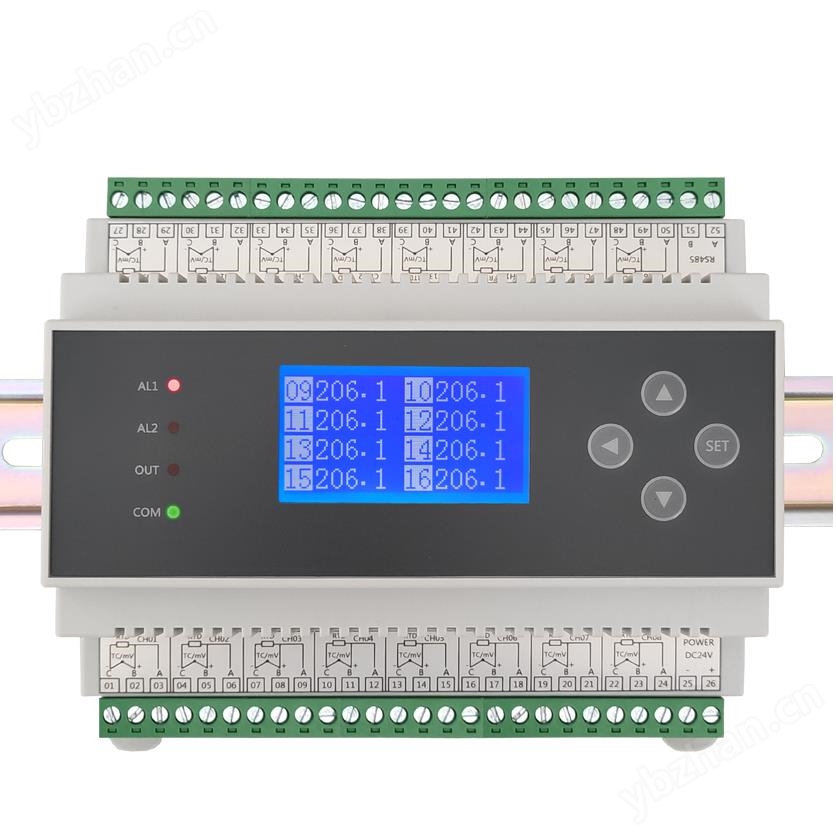
Multi channel four wire PT000 collector, with individual AD parallel acquisition for each channel. The acquisition speed of $r $n can be set to refresh all channels in 0.1 seconds for 16 bit AD and 0.5 seconds for 18 bit AD. The resolution of $r $n is 0.01 ℃, and the accuracy is 0.05 ℃. $r $nLED display/wide temperature LCD Chinese and English operation display, with timed screen off function. $r $n comes with buttons for convenient on-site debugging and setting by users.
Product Details
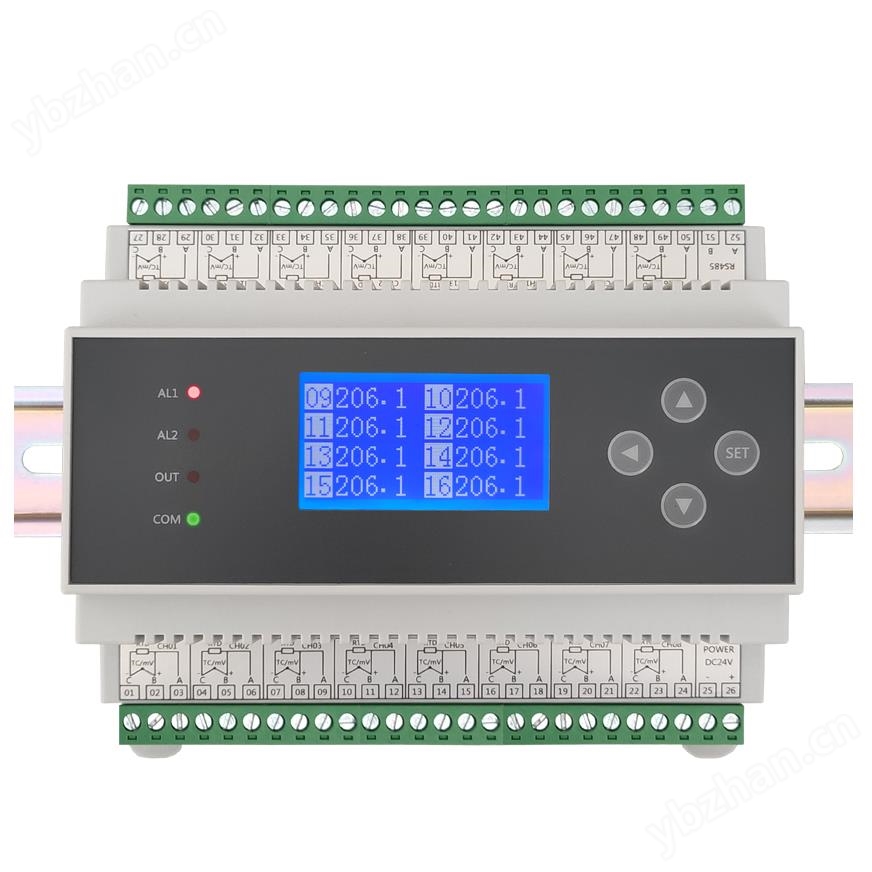
DM6215 Multi channel Collector
1Multi channel four wire PT000 collectorFeatures
Multi channel four wire heating resistor input, with individual AD parallel acquisition for each channel.
The collection speed can be set to refresh all channels in 0.1 seconds for 16 bit AD and 0.5 seconds for 18 bit AD.
Resolution 0.01 ℃, accuracy 0.05 ℃.
LED display/wide temperature LCD Chinese and English operation display, with timed screen off function.
Equipped with buttons for convenient on-site debugging and setting by users.
Can be equipped with two independent isolated lightning protection RS485 interfaces, standard MODBUS-RTU communication protocol.
Insertion and removal of terminal DIN35 rail installation method and screw installation method.
IIMulti channel four wire PT000 collectorMain technical indicators

3、 Schematic diagram of product terminal wiring

For example, for channel 01, two wires of the same color for a four wire sensor are connected to 01 and 03, and the other two wires of the same color are connected to 02 and 04.
4、 Product selection
Multi channel collector DM6215- □□ - □□□ - □□ ()
①② ③④⑤ ⑥⑦ ⑧⑨

Note: 1. When selecting, choose the function according to the wiring diagram. Due to the limited number of wiring terminals, only one function can be selected on the same group of terminals,
2. The selection must be complete, and any functions that are not selected must also be filled in with code. Example of selection: DM6215-T00-R0T0S-0D-16;
Equipped with 2 RS485 relays: DM6215-T00-R1T0SS-0D-16.
3. This product can add an RS485 interface, occupying terminals 49 and 50; As a slave, it can also be connected to relay output or mA/V transmission output modules.
5、 Operating instructions
(1) The key functions of the instrument panel are touch sensitive keys, please do not press them hard when using.

(2) General parameter settings
In working mode, the instrument displays multiple channel measurement values simultaneously. Press and hold the SET key for about 1 second to enter the password input screen. In the set state, display parameter prompt information and set values. If there is no button operation within about 60 seconds during the setting process, it will automatically exit the setting state and enter the running state. After setting a parameter, press the SET key to confirm and enter the next parameter setting state. During the setting process, long press the ◄ key for about 2 seconds to return to the previous parameter setting state.


6、 Communication instructions
(1) This product is equipped with RS232 and RS485 interfaces for direct communication with computers. The RS485 standard communication distance is 1.5km, and multiple instruments can be mounted. The RS232 standard communication distance is 15m, and only one instrument can be attached. The TXD, RXD, and GND of the RS232 interface are respectively connected to the second, third, and fifth pins of the computer serial port. The data format consists of 1 start bit, 8 data bits, no checksum, and 1 stop bit. To avoid communication conflicts, the instruments are all in listening mode. The computer sends a command to a certain instrument at a specified address, and then waits for a period of time for the instrument to respond. After the instrument receives the correct command, it sends out the data. After sending, the instrument is in listening mode again. In the same system, instrument addresses cannot be the same, and baud rates must be consistent.
(2) Adopting the standard Modbus RTU communication protocol, using the 03, 04, and 06 function numbers. When using the configuration software touch screen, select a PLC with standard Modbus or Modicon devices, Modbus RTU address type, function number 3X or 4X can be used, register address starts from the first, data is a signed 16 bit integer, and use the Configuration King registers (i.e. 4x001, 4x000). Other configuration software may start from 3x001 or 3x000. Users need to handle the decimal places according to their actual situation. It is recommended for user programming to define signed integer data, or by calculation. When the data is greater than 0X7FFF (decimal 32767), subtract the data from 65536 and then take a negative value. For example, if the communication transmission data is 0XFF9C (decimal 65436), 65536-65436=100, then take a negative value of -100. Professional algorithms can also use reverse addition 1. For long integer data such as cumulants, the data value is equal to high-order x 65536+low order, or the data type can be selected as long integer (Long), and the system will automatically calculate the cumulant. Register 4x1024 is a single precision floating-point number type for measurement values, following standard IEEE754, such as 0x42CAFBCF corresponding to 101.4918 (see also advanced parameter settings for four byte arrangement order that can be set).


(5) Auxiliary communication testing function, the module has an online monitoring serial port data function for easy user debugging.
Press and hold the SET key to enter the password verification screen, change the password from 0800 to 0790s, and press the SET key to confirm and enter the auxiliary communication test screen.
PV 1001-1016: Simulate data from channel 1 to channel 16, with data from channels 1001 to 1016, where channels 2 and 3 represent dynamically changing sine and negative values.
HEX: Display 8 communication characters received by the instrument, updated once per second when there are changes.
It is recommended to create a new project during testing and only read data every 2 seconds.
Vary Send Clr Quit: Lightly press the ◄ key, move the cursor to switch and select the corresponding function.
Vary: Switch 16 channels of data for testing positive and negative numbers, data 1001 to 1016 or -201 to -216.
Send: Proactively send a set of 8-channel data values to the upper computer.
Clr: Clear the 8 communication characters received by the instrument. Quit: Exit the communication test screen.
(6) When communication is not available, check that the wiring is correct; The communication converter is functioning properly; After disconnecting the wiring, the RS485 interfaces on both sides have a voltage of 1.0-3.0V; Related parameters: The communication address baud rate checksum is set correctly; The computer reads one (or eight) data and views the received data format on the auxiliary communication test function screen. If it is garbled, the two communication wires can be exchanged (reversing the communication wires will not damage the interface).
7、 Alarm instructions
This instrument can be equipped with one or more relays, and each channel can be set with alarms or multiple channels can share a set of alarm parameters for common alarms. Using two parameters of alarm value hysteresis to avoid frequent relay actions. In addition, advanced passwords have alarm delay function.
Upper limit alarm: If the measured value is higher than the alarm value, it will be in an alarm state. If the measured value is lower than the alarm value minus the difference value, the alarm state will be released;
Lower limit alarm: If the measured value is lower than the alarm value, it will be in an alarm state. If the measured value is higher than the alarm value plus the hysteresis value, the alarm state will be released;
Turn off alarm value: Prohibit alarm. The alarm status values of each channel can be read through communication.
8、 Warranty
If it is a manufacturing quality problem caused by the factory, the instrument will be repaired free of charge from the date of leaving the factory. If the damage is caused by improper storage and use, the repair cost will be charged. The warranty period is eighteen months.
9、 Frequently Asked Questions and Answers
1. For thermal resistance thermocouples, there is no range limit for the instrument. The sensor can measure as many degrees as the instrument can display. For example, PT100 can measure temperatures from -200 to 600 ℃. In practical applications, the range is generally from -50 to 350 ℃, and sensors are prone to burning out beyond 350 degrees.
2. The signal types listed in the input signal type comparison table are all supported by the instrument. Special input signals need to be customized, such as WRe325, WRe526, PT1000, and thermistor.
3. Power on fault code
AD error Err: XXXXXXXX, the AD hardware is partially damaged.
Memory Err: 04, memory is damaged and unable to store data.
10、 About Us
Bomint Chengdu Technology Co., Ltd. is committed to the field of industrial automation control, integrating research and development, production, sales, and service. It is a professional manufacturer of intelligent measurement and control instruments and meters. Based on the accumulation and continuous innovation of more than 20 years of R&D experience in the company, we have formed our own intellectual property brand bomite ® The series of products includes recorders, single channel measuring and controlling instruments, multi-channel inspection instruments, flow integrators, PID controllers, weighing instruments, isolation barriers, voltage and current meters, frequency tachometers, timer counters, signal sources, and dozens of other series. The products are widely used in various industries and scientific research sites such as chemical, power, and petroleum.
Bomint always adheres to the concept of "striving for excellence and craftsmanship spirit", constantly exploring and innovating, with quality as the core and Industry 4.0 as the guide. We operate with integrity, provide attentive service, and wholeheartedly provide users with high-quality automation instruments and meters.