-
E-mail
qingqingshi@email.acrel.cn
-
Phone
18706162823
-
Address
No. 5 ASEAN Road, ASEAN Industrial Park, Nanzha Town, Jiangyin City, Jiangsu Province
Jiangsu Ankerui Electric Appliance Manufacturing Co., Ltd
Ankerui ADW300 wireless meter, remote meter reading with zero delay
Date: 2025-09-30Read: 99
01 Product Overview
ADW300 three-phase four wire 4G wireless intelligent electricity 187 meter 0210 uses 6706 industrial grade microprocessor as the core, adopts external open CT, supports power-off installation, and has the advantages of small size, high accuracy, and rich functions. It meets the installation requirements of low voltage cabinets and floor distribution boxes with strict space requirements, and can support RS485 communication and wireless communication methods such as Lora, NB, 4G, wifi, etc. It is an ideal choice for data collection and analysis, as well as online monitoring, in electrical safety management, energy consumption management projects, environmental protection electricity supervision, and operation and maintenance projects.

02 System Functions
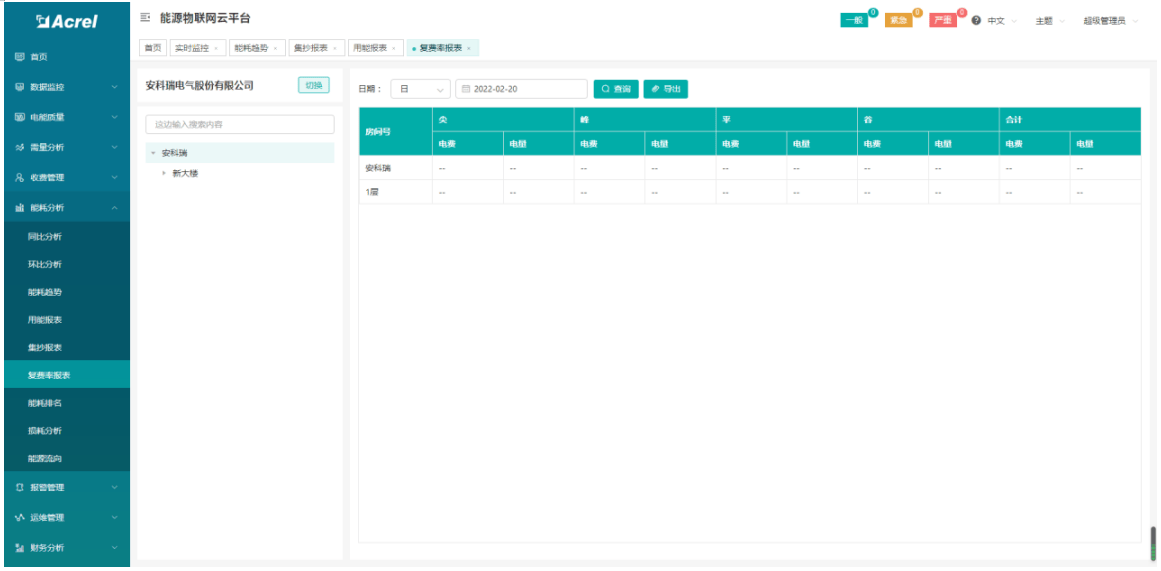
The compound rate report mainly calculates the peak, off peak, off peak, and off peak electricity and electricity bills of a building. Select the project, branch, and date to be viewed, and choose one of the report types: "Day", "Month", or "Year". Click 'Search' to view the multiple rate report for this branch; Click 'Export' to export the table. As shown in the figure. Note: This report requires the measuring device to support the function of time period statistics.
Manufacturer's contact phone number 18706162823 (same as WeChat)
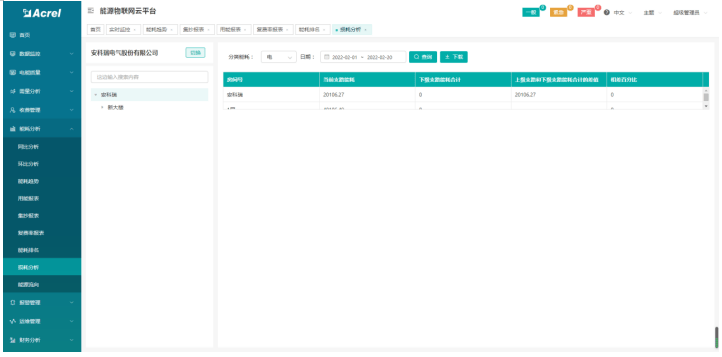
Loss analysis can view the loss situation of each power branch, as shown in the figure.
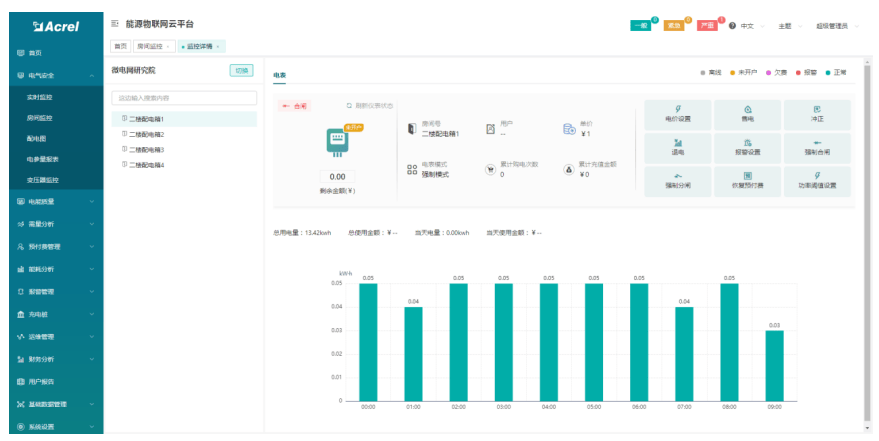
The energy consumption report mainly compiles the daily, monthly, and annual energy consumption reports of buildings managed by the current logged in user. You can select daily, monthly, and annual reports for selected buildings based on different energy consumption classifications and export the tables. Select the category and date to be viewed, and choose one of the report types: "Day", "Month", or "Year". Click "Search" to view the energy consumption data of each building in this category; Click 'Export' to export the table. As shown in the figure. Support selecting project data to generate bar charts; Select the project you want to view and click on "Chart" to view the energy consumption chart of the project, as shown in the figure.
Manufacturer's contact phone number 18706162823 (same as WeChat)

03 Functional Features
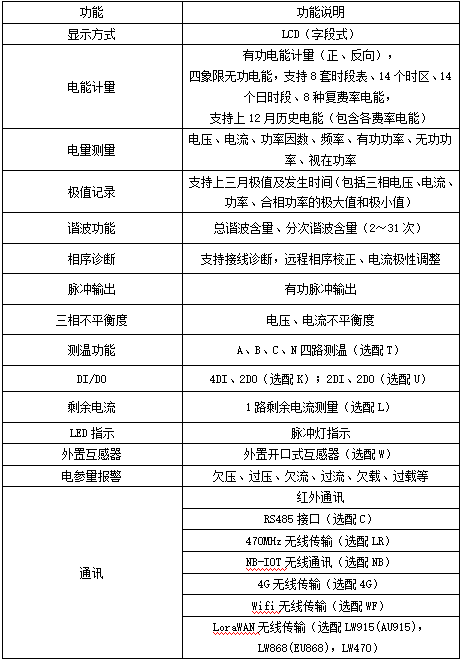
04 Technical Parameters


05 External dimensions

Manufacturer's contact phone number 18706162823 (same as WeChat)