-
E-mail
18206139191@163.com
-
Phone
18206139191
-
Address
2505, Building 2, Jitian International Plaza, 999 Bailu South Road, Kunshan Development Zone
Suzhou Yujingheng Automation Equipment Co., Ltd
Usage guide for total weight ratio batching scale: setting multiple upper and lower limit values and automatic alarm
Date: 2025-12-22Read: 14
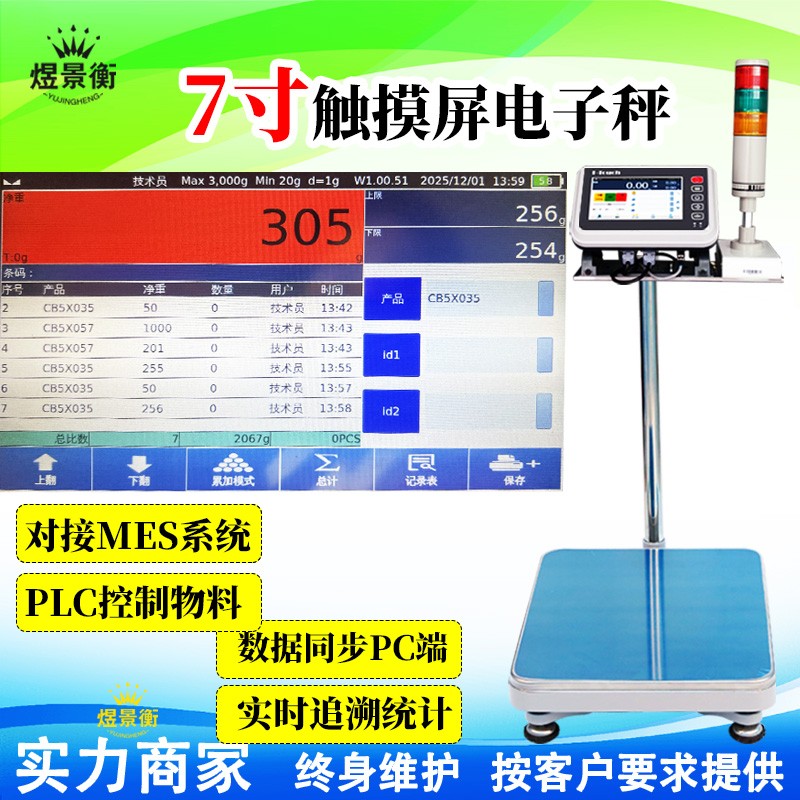
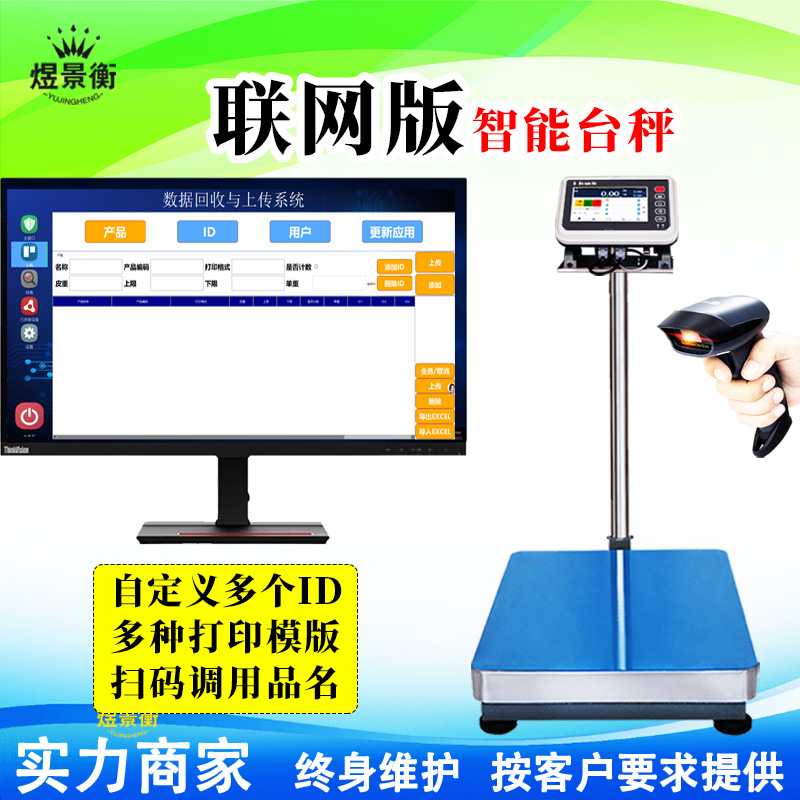
Usage guide for total weight ratio batching scale: setting multiple upper and lower limit values and automatic alarm
Usage guide for total weight ratio batching scale: setting multiple upper and lower limit values and automatic alarm
Recommended series of industrial electronic scales for Suzhou Yujingheng brand, including YJH-GS assembly line automatic weighing scale, YJH-T7 intelligent electronic platform scale, YJH-A7 intelligent electronic table scale, YJH-B7 intelligent electronic balance, YJH-T industrial weighing electronic platform scale, YJH-A industrial weighing electronic table scale, YJH-B high-precision electronic balance, YJH-AI intelligent receiving scale, YJH-DWS e-commerce express logistics scanning code, photography and weighing integrated machine, etc
1、 Basic principle of total weight proportion batching scale
Core function: Automatically allocate the total weight to each material based on preset proportions, achieving precise proportioning.
Enter the total weight and proportion of each material, and the system automatically calculates the target value for each material
Real time monitoring of the weight of each material, comparing it with the preset upper and lower limits and issuing an alarm
Suitable for production scenarios that require precise proportioning in food processing, chemical, pharmaceutical, and other industries
2、 Detailed steps for setting multiple upper and lower limit values
1. Recipe creation and proportion setting
Operation path: Main menu → Recipe management → New recipe → Enter recipe name
Step 1: Set the total weight
Enter 'Target Total Weight' (e.g. 10kg)
Step 2: Set the material ratio
Method A: Directly enter the proportional value
Material A: 3 → Material B: 2 → The system automatically calculates:
A target value=10kg × 3/(3+2)=6kg
B target value=10kg × 2/(3+2)=4kg
Method B: Input the weight of the single material
Material A: 6kg → The system automatically calculates the proportion and B target value
2. Setting multiple upper and lower limits (key step)
Set up separately for each material:
plaintext
Step 1: Select the materials to be set up
Step 2: Enter 'Upper and Lower Limit Settings'
Step 3: Set the 'standard value' (target weight)
Step 4: Set the 'upper limit value' (standard value+allowable positive deviation)
Suggestion: Upper limit=Standard value x (1+Deviation percentage), such as+5%
Step 5: Set the 'lower limit value' (standard value - allowable negative deviation)
Suggestion: Lower limit=Standard value x (1-Deviation percentage), such as -3%
Step 6: Set the 'air volume' (pre turn off value, compensate for inertia)
Principle: Air volume<slow approach volume, and standard value>slow approach volume+air volume
Practical tip: When setting multiple sets of recipes in bulk, you can first set a template and then quickly generate it through the 'Copy Recipe' function, only modifying key parameters.
Usage guide for total weight ratio batching scale: setting multiple upper and lower limit values and automatic alarm
3、 Automatic alarm system configuration and application
1. Alarm parameter settings
Operation path: System Settings → Alarm Management → Select Alarm Type
plaintext
1. Basic alarm settings
-Sound and light alarm: turn on buzzer+three color light (green: qualified, yellow: approaching limit, red: exceeding limit)
-Alarm volume: 40-55 decibels (does not affect operation and can be clearly identified)
-Alarm duration: optional 'until manual confirmation' or 'fixed duration' (e.g. 10 seconds)
2. Material alarm settings (for each material)
-Upper limit alarm: triggered when weight exceeds the upper limit value (red light+rapid buzzing)
-Lower limit alarm: triggered when weight<lower limit value (yellow light+low-frequency buzzing)
-Qualified range: lower limit value ≤ weight ≤ upper limit value (green light)
3. Special alarm settings
-Shortage alarm: triggered when there is insufficient material, locking the subsequent process
-Sequence error alarm: triggered when materials are not added in the order specified in the recipe
-Total weight deviation alarm: triggered when the total deviation of all materials from the target total weight is ± X%
2. Linkage mechanism after alarm triggering
Intelligent response:
Alarm Typetrigger actionrecovery method
Material exceeds the limitStop adding the material and lock the alarmManual confirmation+adjustment of material weight
incorrect orderPause the entire ingredient process, alarm promptAdd again in the correct order
Total weight deviationAlarm but allow to continue, record exceptionsManually decide whether to re mix ingredients
material shortageStop ingredient preparation, alarm lockManually reset after supplementing materials
4、 Practical demonstration of the entire process
Taking the production of 10kg mixture in a 3:2 ratio as an example:
1. Preparation work
Power on → Preheat → Calibration → Ensure cleanliness of the weighing platform
Prepare materials A and B and place them in a convenient location for adding
2. Recipe settings
plaintext
Main menu → Recipe management → New → 'Recipe 001'
Total weight: 10kg
Proportion of Material A: 3
Proportion of Material B: 2
Save and return
*The system automatically calculates:
A target value: 6kg (± 3%) → upper limit 6.18kg/lower limit 5.82kg
B target value: 4kg (± 5%) → upper limit 4.20kg/lower limit 3.80kg
3. Ingredient operation
plaintext
Step 1: Select formula '001' → Confirm total weight of 10kg
Step 2: Add Material A to the Weighing Platform
-Observation shows that the target weighs 6kg and the current weight changes in real-time
-Approaching 6.1kg, the system automatically switches to slow feeding
-When reaching 6.18kg (upper limit), trigger an alarm and stop feeding
-After adjusting to the qualified range (5.82-6.18kg), press the confirm button
-The system automatically records the weight of A and enters material B for addition
Step 3: Add Material B
-Operation is the same as A, target 4kg, upper and lower limits 3.8-4.2kg
-After passing the inspection, the system displays the total weight (approximately 10kg)
Step 4: Complete the ingredients and the system automatically records complete data
The data includes: formula number, material A/B weight, time, operator, and judgment result
5、 Advanced Applications and Parameter Optimization
1. Flexible application of multiple upper and lower limits
Scenario 1: Multi level quality control
Set multiple sets of upper and lower limits for the same material (such as standards for superior products, qualified products, and defective products)
Applicable scenarios: Product grading, such as pricing food and drugs based on quality
Scenario 2: Dynamic adjustment of upper and lower limits
Formula setting: upper and lower limits=target value × (1 ± environmental parameter correction factor)
Applicable scenarios: When environmental factors such as temperature and humidity affect material density
Scenario 3: Associated Alarm
When setting the 'upper limit alarm' for material A, the upper limit value of material B will be automatically reduced
Applicable scenario: When there is a complementary relationship between two materials and a specific ratio needs to be maintained
2. Parameter optimization techniques
1. Air volume (drop value) setting
Principle: Air volume=advance amount when switching from fast feed to slow feed
Formula: Air volume=Material flowability × Feeding speed × Response time
Adjustment method: After setting, record the actual deviation and gradually adjust it
2. Deviation percentage setting
Key materials: ± 1-2% (such as pharmaceuticals, precision chemicals)
General materials: ± 3-5% (such as food additives)
Bulk materials: ± 5-10% (such as building materials)
3. Alarm sensitivity setting
Conventional production: standard alarm threshold
Quality control: Tighten the alarm range (± 2%) and improve detection accuracy
Rapid production: relax the alarm range (± 5%), reduce false alarms
6、 Common Problems and Solutions
Problem 1: The total weight of the material exceeds the upper limit and frequent alarms are triggered
Reason: The air volume is set too low, and the inertia of the material leads to an excess
Solution: Increase the air volume value (e.g. original 100g → 150g), or reduce the feeding speed
Problem 2: The ingredient sequence is incorrect but the system does not sound an alarm
Reason: The 'sequence control' function is not enabled
Solution: Enter the recipe settings and check 'Add materials strictly in order'
Problem 3: There is a large deviation between the total weight and the target value