-
E-mail
396852987@qq.com
- Phone
-
Address
No. 89 Science Avenue, Zhengzhou High tech Industrial Development Zone
Product Categories
Zhengzhou Quanzi Neng Electronics Co., Ltd

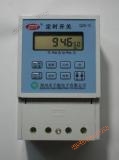
SDK-6 latitude and longitude intelligent street light time controller
NegotiableUpdate on 11/04
- Model
- Nature of the Manufacturer
- Producers
- Product Category
- Place of Origin
Overview
SDK-6 Intelligent Street Light Controller Manual (Microcomputer Latitude and Longitude Timing Switch) 1. Introduction: The intelligent street light controller uses a dedicated computer chip to automatically determine the switch time according to the local latitude and longitude and seasonal changes
Product Details
SDK-6Manual for Intelligent Street Light Controller
(slightComputer latitude and longitudeDu DingTime switch)

1. Introduction
The intelligent street light controller uses a dedicated computer chip to automatically determine the on/off time according to the local latitude and longitude and seasonal changes. Users do not need to input specific switch times (the local latitude and longitude are pre-set at the factory), and the controller can be put into normal use.
The controller has two outputs, A, B, and B, each of which can be set to "all night light" (turn on in the evening and turn off in the morning), "midnight light" (turn on in the evening and turn off in the second half of the night), and "2 on 2 off" (turn on midnight light again in the early morning). When leaving the factory, A is set to all night light and B is set to midnight light mode.
To save power consumption, the controller does not display any other content during operation except for flashing second signals indicating normal operation and control status indicators for A, B, and two channels. Press any button or when the power is just turned on, the current clock will be displayed and will turn off after 1 minute.
2. Query switch time
The query button allows you to view the actual on/off time for the current day and any other day. Press the 'Query' button to immediately start sequentially querying the switch time. Each time you press the 'Query' button, the displayed content changes in the following order:

|
serial number |
Display Name |
Display content |
say bright |
|
1 |
Current time |
Hour, minute, second |
Hours, minutes, and seconds can be adjusted when flashing |
|
2 |
Current date |
year, month, day |
The year, month, and day can be adjusted when flashing |
|
3 |
sutra degree |
Degree of location |
The degree and the decimal point after the degree can be adjusted when flashing |
|
4 |
latitude degree |
Degree of location |
The degree and the decimal point after the degree can be adjusted when flashing |
|
5 |
Night light on time |
Hour and minute |
Just adjust the division position, adjust to60Time division can carry forward |
|
6 |
Light off time in the morning |
Hour and minute |
Just adjust the division position, adjust to60Time division can carry forward |
|
7 |
ARoad control mode |
A=1—3plant |
Can be selected separatelyA=1TheA=2TheA=3Adjustable during flashing |
|
8 |
BRoad control mode |
B=1—3plant |
Can be selected separatelyB=1TheB=2TheB=3Adjustable during flashing |
|
9 |
Midnight light off time |
|
Both time and minute flashing can be adjusted |
|
10 |
Midnight light on time |
2NWhen. divide |
Both time and minute flashing can be adjusted |
Note: A route: A=1 means turning on the lights at night: turning off the lights in the morning. A=2 means turning on the lights at night and turning off the lights at midnight. A=3 means turning on the lights at night and turning off the lights at night,
Turn on the lights at midnight and turn off the lights in the morning. B route: Same function as A route.
Press the line break key to change the display name: Use the shift key to change the position of the numbers.
When the displayed content stays at "year, month, day", you can change the query date by pressing "+/month" and "January/month" respectively; Alternatively, press the 'Settings' button to search for information related to setting parameters.
Changes to the date during the query process do not affect the actual running calendar clock within the controller; The query process will not interfere with the output control status of channels A and B. After the query is completed, press and hold the "Query" button for more than 2 seconds, or stop the button for 1 minute. Restore the display clock.
3. Adjustment of control parameters (setting method)
By setting, the clock of the controller can be adjusted. Change the originally set latitude and longitude, and modify the control mode of A and B routes: the switch time determined by latitude and longitude can be adjusted within ± 120 minutes.
In the clock display state, press the "Settings" button for more than 2 seconds to enter the settings state: After entering the settings state, the output control remains unchanged from the original state.
There must be a current modification item flashing in the setting state. The contents that can be set are: hour, minute, second, year, month, day, longitude (east longitude), latitude (north latitude), evening light on time, morning light off time, A-way working mode (A=1, 2, 3, respectively representing all night, midnight, 2 on 2 off), B-way working mode, midnight light off time (used in conjunction with midnight light and 2 on 2 off mode).
Use the "+" and "-" keys to adjust the current flashing content, press the "Search/Shift" key to move the current flashing content, and press the "Set/Line Break" key to change pages; After the modification is completed, hold down the "Settings/Line Break" button for more than 2 seconds or stop the button for 3 minutes, save the edited content and exit the settings state to restore the display clock.
4. Manual emergency light on
Press the 'Manual' button for more than 2 seconds. A. Immediately turn on the B output and press the "manual" button on the panel to return to automatic mode.
5. Light sensing control with light control controller
The SDK-6 controller is the basic type; The light control controller has added light sensing input. Based on the determination of the switch time according to latitude and longitude, fuzzy mathematical methods are used to process the changes in natural light. The lights are turned on appropriately in the evening on rainy days, with a maximum advance time of 30 minutes. Once the light is turned on, it will not switch frequently due to fluctuations in lighting.
The benchmark value for comparison adopts a self-tuning intelligent fine-tuning method, which does not require manual adjustment; The automatic calibration technology used can eliminate detection errors in actual illumination caused by different installation conditions of the photosensitive device and drift of device parameters during long-term operation. The requirements for installing a light control controller are that it should be able to feel natural light and not be disturbed by other artificial lighting except for the street lights it controls.
6. Technical parameters
6.1 Working power supply: AC 220V ± 20%; 6.2 Power consumption of the whole machine: ≤ 2W in the light on state, ≤ 1W in other states;
6.3 Output control: Two outputs, maximum current of 10A per output; 6.4 Timing accuracy: Error ≤± 0.5S/d (room temperature 23 ℃± 3 ℃)
6.5 Built in power supply: high-energy lithium battery, continuous power-off working time ≥ 5 years;
6.6 Storage temperature: -40 ℃ to+80 ℃; Working temperature: -25 ℃ to+60 ℃; Humidity:<90%;
6.7 Scope of application: Longitude: 80.0 ℃~135.9 ℃ Latitude: 10.0 ℃~56.0 ℃
7. Appendix: Reference for latitude and longitude settings of major cities in China

Similar Product Recommend